
Bitdefender VPN: Fast & Secure
BitdefenderTools
4.72.81K Reviews
- Version
- 2.3.3.178
- Installs
- 1.00M
- Age Rating
- Everyone
Screenshots

Our Review of Bitdefender VPN: Fast & Secure
 Analysis by Appyee
My most useful way to judge a mobile VPN is to follow one ordinary outing from start to finish: I leave home, join a public network, do something that matters online, then switch networks and carry on. That is the kind of job Bitdefender VPN: Fast & Secure is meant to help with. It is a free Tools app from Bitdefender, and its appeal is straightforward: put a protected connection within reach without turning a routine phone task into a networking lesson.
Before you connect: know what you need protected
A VPN can help protect traffic between your device and the VPN service, especially when you are using a network you do not control. It does not make every part of being online private, though. It cannot stop you from entering personal details on a fake page, prevent a service from recognizing an account you signed into, or replace careful app and browser choices. I find it most useful as one practical layer, not as a substitute for common sense or device security.
That distinction matters because VPNs are often treated as a universal privacy switch. I would first ask what I plan to do: check email at a café, work briefly while travelling, or use a public hotspot to get directions. Those are sensible reasons to consider a VPN. If the real aim is to hide activity from a website where I am already logged in, or to guarantee access to a particular streaming catalogue, I would not assume a VPN alone will achieve it.
From public Wi-Fi to a protected session
My everyday workflow would begin before opening anything sensitive. I would install the app, open it, and get familiar with its main connection controls while I still had a reliable connection. The app is available for Android and iOS, and its simple presentation makes the basic idea approachable even if VPN settings are new to you. I would check that the connection is active before opening work messages or signing into an account, rather than remembering halfway through.
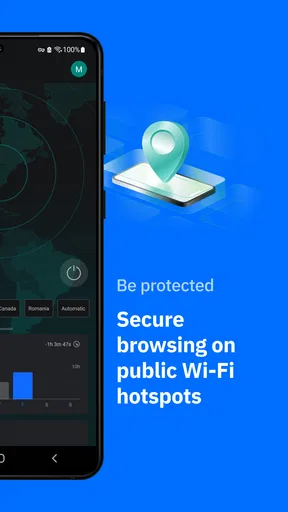
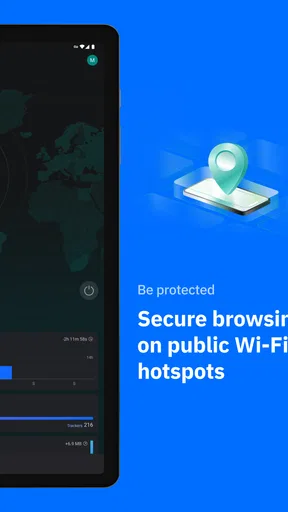
At a café, for example, I might connect to the venue’s Wi-Fi to send a document and then check a bank notification. With a VPN active, the network operator has less visibility into the contents of my connection than it would without that encrypted tunnel. I would still confirm that the hotspot is the one the café actually provides, avoid following unexpected sign-in prompts, and use the bank’s official app. The VPN reduces one exposure; it does not certify the network or the page I am visiting.
The practical tip is to make connection status part of the routine: join Wi-Fi, turn on the VPN, then start the task. When I leave, I would notice whether the phone has moved to mobile data or another Wi-Fi network and whether the VPN remains active. That handoff is where a user can easily assume protection is continuing when the connection has changed. A quick glance at the app before doing something sensitive is more useful than relying on memory.
Why You Need a VPN
First things first, a little context. In today’s world, where public Wi-Fi is as common as your morning coffee, protecting your online privacy is crucial. This is where a Virtual Private Network (VPN) steps in. It’s like having a secret tunnel for your data, keeping it safe from prying eyes. So, when I stumbled upon Bitdefender VPN: Fast & Secure, I was curious to see how it fared in the fast lane of digital security.
Setting Up Was a Breeze
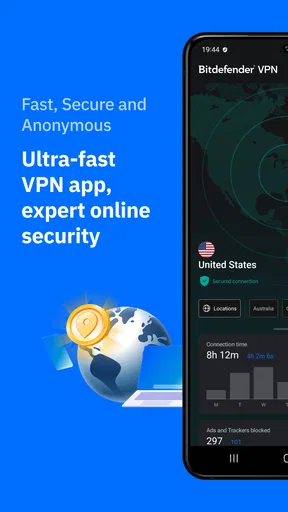
I’m not a tech wizard, but installing this app was as smooth as butter on a hot toast. Available on both Android and iOS, it was just a matter of a few taps, and I was ready to roll. The interface? Clean and intuitive. Even if you’re new to VPNs, you’ll feel right at home.
Speed and Performance
Now, let’s talk about speed. After all, nobody wants a secure connection that feels like dial-up from the 90s. I tested it across different networks, and to my delight, the speed was impressive. Streaming videos, browsing, and even online gaming were seamless. It’s like having a secret pathway that’s both secure and swift.
Security Features That Stand Out
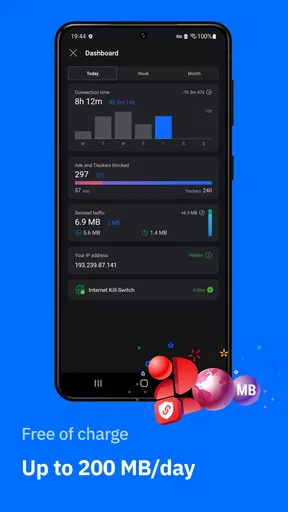
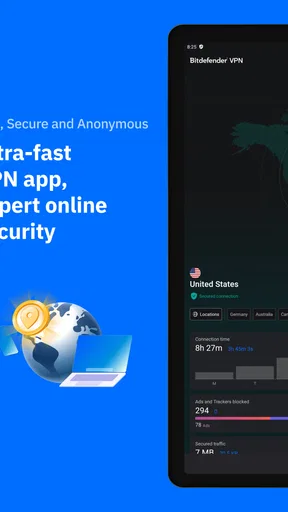
Of course, the main selling point of any VPN is security. And boy, does Bitdefender VPN: Fast & Secure deliver! It uses bank-grade encryption to keep your data locked away from snoopers. Plus, there’s a nifty feature that blocks ads and trackers, making your online experience not just secure, but also pleasantly clutter-free.
Choosing a server without overthinking it
When I am mainly trying to protect a routine session, my priority is a dependable connection rather than a faraway location. A nearby option is often the sensible starting point for everyday browsing; choosing a distant endpoint just because it sounds more private can add latency without helping with the task. If I am troubleshooting a sluggish page, I would compare the experience with the VPN off and on, then try another available server rather than immediately blaming the app or the website.
Server choice also involves a trade-off between privacy and convenience. A VPN changes the apparent network location seen by services, so some sites may ask me to verify a login or may behave differently. That is not necessarily a sign of a problem. For a work account, payment service, or travel booking, I would prefer a stable connection and avoid switching locations mid-session unless there is a clear reason.
Global Coverage
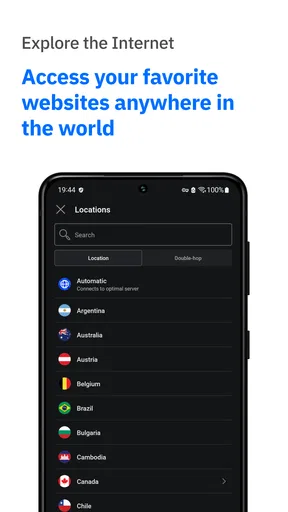
Another thing that caught my eye was the wide array of servers around the globe. Whether you’re connecting from a café in Paris or a beach in Bali, the app offers multiple server options. This not only ensures a fast connection but also lets you bypass geo-restrictions. Hello, global Netflix library!
What happens when the task moves between apps?
A VPN is not usually a separate destination; it is a connection layer used while I move between a browser, email, maps, and other apps. The useful question is whether I remember to enable it before the sensitive part of the session, and whether I notice if connectivity changes. If a page stalls after switching from Wi-Fi to mobile data, I would check the VPN connection first, then test the page again. That small sequence helps separate a network handoff issue from a broken site.
I would also keep expectations modest when using location-sensitive services. A service may use account details, device settings, or other signals in addition to the network location, so changing the VPN endpoint does not guarantee a different result. For a streaming service, I would treat access to a particular catalogue as uncertain rather than the main reason to subscribe. For ordinary protection on a trip, server choice is more useful as a way to find a workable connection than as a promise to unlock every region.
User Experience
The app doesn’t just talk the talk; it walks the walk when it comes to user experience. The support team is readily available, and the app includes a handy FAQ section for those late-night queries. And if you’re worried about battery drain, rest easy—the app is optimized to consume minimal power.
Who will get the most from it?
I would put this on the shortlist for someone who regularly uses shared Wi-Fi and wants a familiar, low-effort way to add a VPN connection to a phone. It also makes sense for a traveller who needs to check messages or handle light work between networks, provided they understand that a VPN is only one part of safe browsing. Bitdefender’s reputation as a security-focused developer may make the app feel like a natural fit for people already comfortable with its products, although the VPN still needs to be judged on how it fits their own routine.
I would be less enthusiastic about recommending it to someone whose only goal is to stream a specific region’s content. Streaming services change how they handle VPN traffic, and location switching can trigger extra checks; a VPN should not be treated as a guaranteed workaround. It is also not the right tool if someone needs fine-grained network controls or wants to inspect and configure technical details themselves. In those cases, a more configurable VPN may suit better, while a browser’s privacy settings or a trusted mobile connection may be enough for a person who rarely uses public Wi-Fi.
Free to start, with a subscription decision to make
Let’s face it, we all love a good deal. Bitdefender VPN: Fast & Secure offers both free and premium plans. The free version gives you a taste of what’s on offer, but if you’re serious about top-tier security, the premium plan is worth every penny. Plus, there’s a free trial period, so you can test the waters before diving in.
The app is free to install, but it also offers in-app purchases priced from $6.99 to $69.99 per item. I would check the plan details shown in the app before paying and decide based on how often I expect to use it, rather than assuming the free option will cover every travel or work pattern. A sensible test is to try the app during the exact kind of session that matters to me: connect on a typical network, use the services I rely on, and see whether the workflow feels smooth enough to justify ongoing cost.
Its broad adoption is reflected in more than a million installs, alongside a 4.7 average from around 52,000 ratings and roughly 2,700 written reviews. Those figures suggest plenty of people have tried it, but they cannot predict whether it will work well with a particular phone, network, or service. I would use them as context, not as a substitute for trying the connection in my own circumstances.
Where the smooth routine can break
No VPN can guarantee that every connection will feel fast. The route through a VPN can add a step, and crowded Wi-Fi, weak mobile coverage, or a distant server can still make an app feel slow. If a video buffers or a call becomes choppy, I would first check the underlying connection, then try a closer server or briefly compare with the VPN disconnected if the activity is not sensitive. That is a practical diagnostic, not a reason to leave protection off for banking or work on an untrusted hotspot.
There is also a convenience cost: services may challenge a sign-in when the apparent location changes, and some sites can refuse VPN traffic. If that happens during a task that needs a stable identity, I would avoid repeatedly hopping between endpoints. I would finish the task on a consistent connection or use a trusted network when appropriate. The strongest everyday use is deliberate and limited: protect the sessions where the extra layer is useful, rather than expecting the VPN to solve every online privacy concern.
Version, compatibility, and a sensible decision
The current version is 2.3.0.166, and the Android app supports devices running Android 5.1 or later. It is rated for Everyone, which makes its audience broad, though parents should still use their own judgement about a child’s internet habits and device use. The app was released on July 2, 2020, so it is an established product rather than a brand-new utility. I would still keep it updated through the normal app store process and check that the phone’s operating system is compatible before planning to rely on it.
One question people often have is whether turning on a VPN protects every app automatically. The practical answer is to verify the connection status in the VPN app rather than assume; once connected, the VPN is intended to route the device’s network traffic through its service, but interruptions or network changes are worth noticing. Another common question is whether it replaces antivirus protection. It does not serve as a complete substitute for device security, cautious downloads, strong passwords, or account protections. I see it as a focused privacy tool for network use, not an all-in-one shield.
In conclusion, if you’re on the hunt for a reliable, fast, and secure VPN service, Bitdefender VPN: Fast & Secure is definitely worth a look. It’s like having a digital bodyguard that doesn’t get in the way of your online adventures. So go ahead, give it a try, and surf the web with peace of mind!
Verdict
Strengths of Bitdefender VPN: Fast & Secure
- High-speed connectivity for seamless browsing.
- User-friendly interface with intuitive navigation.
- Supports multiple devices under one account.
- Strict no-log policy ensures privacy.
- Automatic protection on public Wi-Fi networks.
Limitations of Bitdefender VPN: Fast & Secure
- Limited features in the free version.
- Occasional connection drops reported by users.
- Some servers may slow down during peak times.
- Lack of advanced configuration options.
- Customer support can be slow to respond.
Other Releases by Bitdefender
View All
Bitdefender Mobile Security
Tools4.7
Similar Picks in This Category
View All
Google LLC4.0

Gboard - the Google Keyboard
Google LLC4.5

Google Play services
Google LLC4.3

Google Play Store
Google LLC4.9

Files by Google
Google LLC4.5

SHAREit: Transfer, Share Files
Smart Media4U Technology Pte.Ltd.4.3
Frequently Asked Questions
What is Bitdefender VPN: Fast & Secure, and how does it work?
Bitdefender VPN: Fast & Secure is a virtual private network service designed to protect your online privacy and secure your internet connection. It encrypts your data traffic, making it inaccessible to hackers and trackers. This app allows users to connect to the internet through servers worldwide, ensuring anonymity and access to restricted content.
Is Bitdefender VPN safe to use on public Wi-Fi networks?
Yes, Bitdefender VPN is specifically designed to secure your connection on public Wi-Fi networks. It encrypts your data, preventing cybercriminals from intercepting your information. This makes it a reliable choice for accessing sensitive information or conducting online transactions while connected to an unsecured network.
Will using Bitdefender VPN affect my internet speed?
Using a VPN can sometimes affect your internet speed due to the encryption process and the distance to the server you connect to. However, Bitdefender VPN is optimized for speed and performance, often resulting in minimal impact. Users typically experience fast and stable connections, even when streaming or downloading content.
How user-friendly is the Bitdefender VPN app for beginners?
The Bitdefender VPN app is very user-friendly, designed with a simple interface that makes it easy for beginners to navigate. It offers one-click connectivity, automatically selecting the best server for optimal performance. Additionally, the app provides helpful tutorials and customer support to assist new users in getting started.
Does Bitdefender VPN offer a free version or trial period?
Bitdefender VPN offers a limited free version with basic features, allowing users to test the service before committing to a subscription. The free version typically includes a daily data limit. For full access to all features and unlimited data, users can upgrade to a premium subscription.
